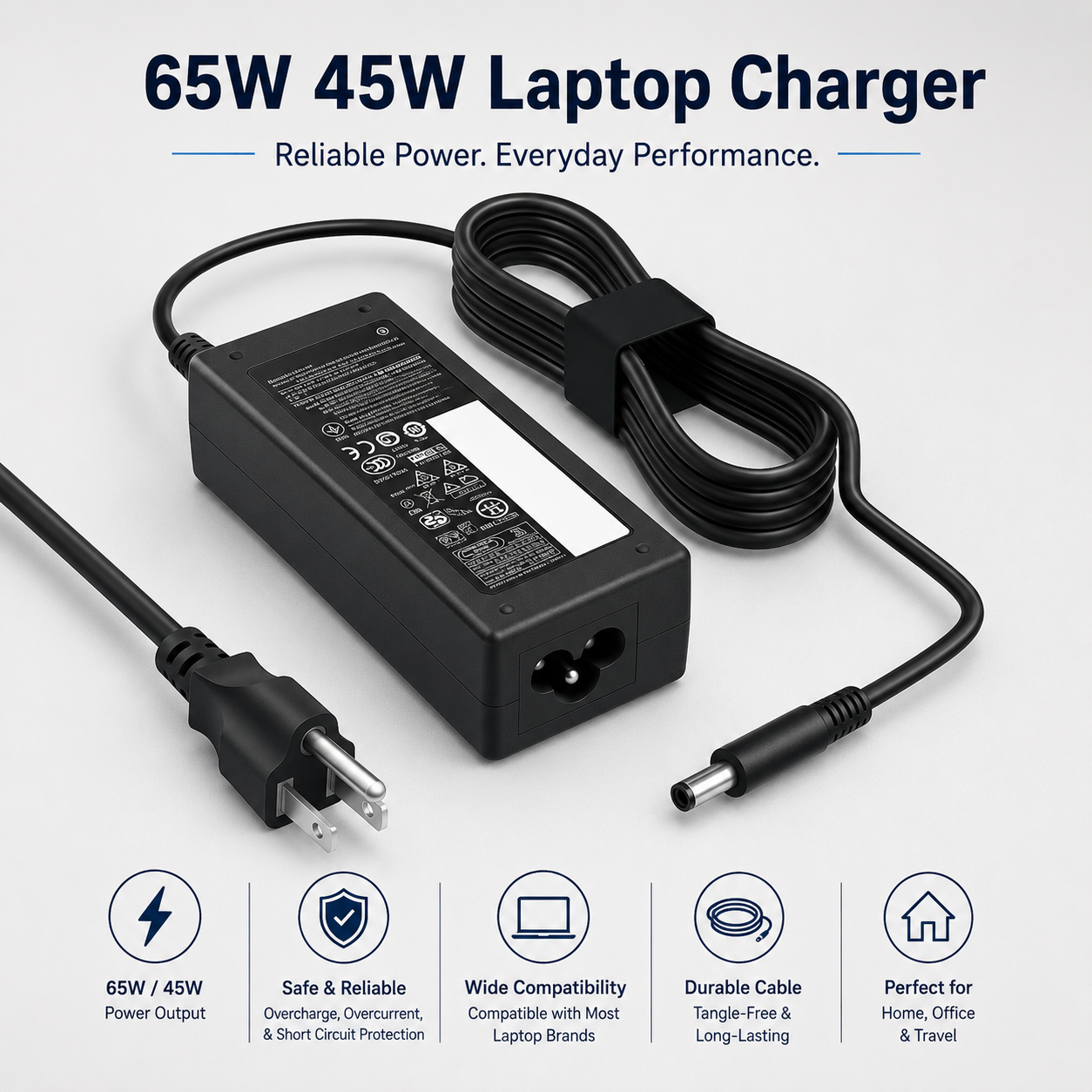
65W 45W Dell Laptop Charger, Round Tip Power Adapter Compatible with Dell Laptop Computers, Replacement for AC Charger
65W 45W Dell Laptop Charger – Round Tip Replacement AC Power Adapter
Power compatible Dell laptop computers with this practical 65W / 45W Dell Laptop Charger, designed as a replacement or spare AC power adapter for selected Dell models using a suitable round tip charging connector. It provides a convenient charging solution for home, office, study and travel use where the laptop's original charger is unavailable or an additional adapter is required.
The charger is described as compatible with selected Dell laptops requiring 65W or 45W charging. Because Dell laptop models can use different connectors and electrical specifications, always compare the connector size, voltage, current, wattage and polarity with the original charger or laptop specifications before connection.
65W & 45W Laptop Charging
The adapter is designed for selected Dell laptop computers that use compatible 65W or 45W power requirements, providing a useful replacement charging option where the electrical specifications match.
Round Tip Power Connector
Featuring a round tip connector, the charger is intended for compatible Dell laptop charging ports that use the corresponding connector style and electrical configuration.
Compatible with Selected Dell Laptops
The charger is suitable for selected Dell laptop computers. Exact model numbers have not been supplied, so compatibility should be confirmed against the laptop and original adapter before use.
Replacement AC Charger
Use the adapter as a practical replacement for a lost, damaged or unavailable compatible Dell laptop charger, subject to correct connector and electrical compatibility.
Useful Spare Power Adapter
Keep an additional charger at home, in the office or another regular work location to reduce the need to move a primary adapter between different places.
Home Laptop Charging
The adapter provides a convenient charging solution for compatible Dell laptops used for browsing, communication, entertainment and everyday computer tasks at home.
Office Use
Use the charger with a compatible Dell laptop at a workstation or office desk where a dedicated replacement or spare power supply is useful.
Study & Remote Working
Suitable for compatible laptops used for study, online learning, document work, communication and remote-working applications.
Portable Charging Solution
The adapter can be carried in a suitable laptop bag for commuting, business trips, study or other situations where a compatible charging supply may be required away from the main workstation.
Check Connector Compatibility
Before use, confirm that the round connector tip matches the intended Dell laptop charging port. Never force an unsuitable connector into the device.
Verify Wattage Requirements
Check whether the intended Dell laptop requires a compatible 45W or 65W adapter and compare the charger specification with the original power supply information.
Check Voltage & Current
Connector shape alone does not confirm electrical compatibility. Verify the required voltage, current and polarity before connecting the charger to the laptop.
Laptop Model Verification
Dell laptop families can include several charging configurations. Check the exact model number and original charger specification to ensure the replacement adapter is appropriate.
Convenient Everyday Charging
The charger offers a straightforward way to keep a compatible laptop powered during everyday computing, work and study activities.
Stable Placement During Use
Place the adapter on a stable surface during operation and avoid positioning it where it could be stepped on, crushed or accidentally pulled from the power socket.
Keep the Adapter Ventilated
Do not cover the charger with bedding, clothing, papers or other materials while connected. Allow sufficient ventilation around the adapter to support normal heat dissipation.
Keep Away from Moisture
Use the laptop charger in an appropriate dry indoor environment and keep the adapter, cable and electrical connections away from water and excessive moisture.
Inspect Before Use
Check the power adapter, cable and round connector for cracks, exposed wiring, loose components, deformation or signs of overheating before use.
Cable Care
Avoid sharp bends, twisting or pulling the cable near the adapter and connector ends. Disconnect by holding the plug or connector body rather than pulling directly on the cable.
Storage Guidance
When not in use, disconnect the charger and store it in a clean, dry location with the cable loosely arranged to reduce unnecessary strain or damage.
Practical Dell Replacement Charger
Combining 65W and 45W compatibility, a round tip connector and replacement AC charging functionality, this laptop power adapter provides a practical spare or replacement charging option for selected compatible Dell laptop computers.
Package Information
Package Weight: 370 grams
Package Dimensions: 49.00 × 34.00 × 40.50 cm
Carton Information
Pieces in Carton: 10
Carton Net Weight: 17.00 kg
Carton Gross Weight: 18.50 kg
Carton Dimensions: 18.50 × 12.50 × 4.80 cm
Why Choose ATEK?
ATEK offers practical computer and electronic accessories designed around convenient everyday charging, replacement compatibility and straightforward use. With an emphasis on laptop power solutions, useful spare adapters and practical computing accessories, ATEK provides reliable everyday options for compatible home, office, study and travel equipment.
About this item
- Dell Laptop Charger: Replacement AC power adapter designed for compatible Dell laptop computers requiring a supported 65W or 45W charging solution.
- 65W & 45W Compatibility: Suitable for compatible Dell laptops that operate with supported 65W or 45W power requirements.
- Round Tip Connector: Features a round charging tip designed for compatible Dell laptop models using a matching power input connection.
- Replacement AC Charger: Practical replacement option when the original compatible Dell power adapter has been lost, damaged or requires replacing.
- Compatible with Dell Laptops: Designed for suitable Dell notebook and laptop computers that match the charger's connector and electrical specifications.
- AC Power Adapter: Provides a convenient mains-powered solution for charging and powering compatible Dell laptops during everyday use.
- Useful Spare Charger: Ideal as an additional compatible charger for keeping at home, in the office, study area or another regular laptop-use location.
- Home & Office Use: Suitable for compatible Dell laptops used for work, studying, browsing, online meetings and general computing.
- Convenient Laptop Power: Helps keep a compatible Dell computer powered when the original charger is unavailable or an extra charging setup is needed.
- For Everyday Computing: Practical for compatible laptops used for documents, internet browsing, streaming, remote working and other routine tasks.
- Portable Charging Solution: Convenient power adapter format makes it practical for use between home, workplace, university and other suitable indoor locations.
- Dedicated Dell Compatibility: Designed specifically around compatible Dell laptop charging requirements rather than acting as a multi-tip universal adapter.
- Round Tip Power Supply: Suitable for Dell computers that use the corresponding round barrel-style charging connection.
- Replacement for Daily Use: Practical choice for restoring a convenient mains charging setup for a compatible Dell laptop.
- Work & Study Essential: Useful for students, office users and home workers who rely on a compatible Dell laptop throughout the day.
- Simple Plug-In Power: Connect the adapter to a suitable mains supply and compatible Dell laptop for straightforward charging and powered operation.
- Check Wattage Requirements: Confirm whether your Dell laptop requires a compatible 45W or 65W charger before connecting the replacement adapter.
- Check Connector Size: Dell laptops can use different round-tip connectors, so verify the charging port size and tip type match this adapter before purchase.
- Verify Electrical Compatibility: Check your laptop's required voltage, current, wattage and connector specification against the adapter to ensure suitable use.
- Complete Dell Charger Solution: Combining 65W and 45W compatibility, a round tip connector and replacement AC power adapter design , this charger is ideal for compatible Dell laptop computers requiring a replacement or spare power supply for home, office and study use .
For custom volume pricing or bulk orders, request a formal quote.
Currently Out of Stock
Direct purchasing is currently disabled for this item. Request a formal quotation below.
| Seller | eBuyerhub Store |
| How to use | 1. Unpack and Inspect the Charger Carefully unpack the laptop charger and inspect the AC power adapter, cable, round-tip connector and mains connection for cracks, exposed wiring, bent components or other visible damage before use. 2. Check Dell Laptop Compatibility Check the voltage, current, wattage and connector requirements shown on your Dell laptop or original power adapter. Confirm that the replacement charger and round-tip connector are suitable for your specific laptop before making any connection. 3. Select the Appropriate Power Rating Use the charger only with Dell laptop models whose charging requirements are supported by the stated 65W or 45W compatibility. Do not assume that connector fit alone confirms electrical compatibility. 4. Connect the Round Tip to the Laptop Gently insert the round-tip connector into the compatible charging port on your Dell laptop. The connector should fit securely without excessive force; stop immediately if the connector feels unsuitable or the charging port appears damaged. 5. Connect the Adapter to Mains Power Connect the AC charger to a suitable mains socket and place the power adapter on a dry, firm and well-ventilated surface. Do not cover the adapter with clothing, bedding, papers or other materials while it is operating. 6. Confirm the Laptop Is Charging Check the laptop's battery or charging indicator to confirm that external power has been recognised. Disconnect the charger immediately if you notice unusual heat, smell, sparking, damaged connections or inconsistent charging behaviour. 7. Disconnect Correctly After Charging When charging is complete, disconnect the adapter from the mains supply and gently remove the round-tip connector by holding the plug rather than pulling the cable. Allow the adapter to cool before packing or storing it. 8. Maintain and Store the Charger Periodically inspect the adapter, round-tip connector and cable for wear, looseness or damage. Coil the cable loosely without sharp bends and store the charger in a clean, cool and dry location when not in use. |