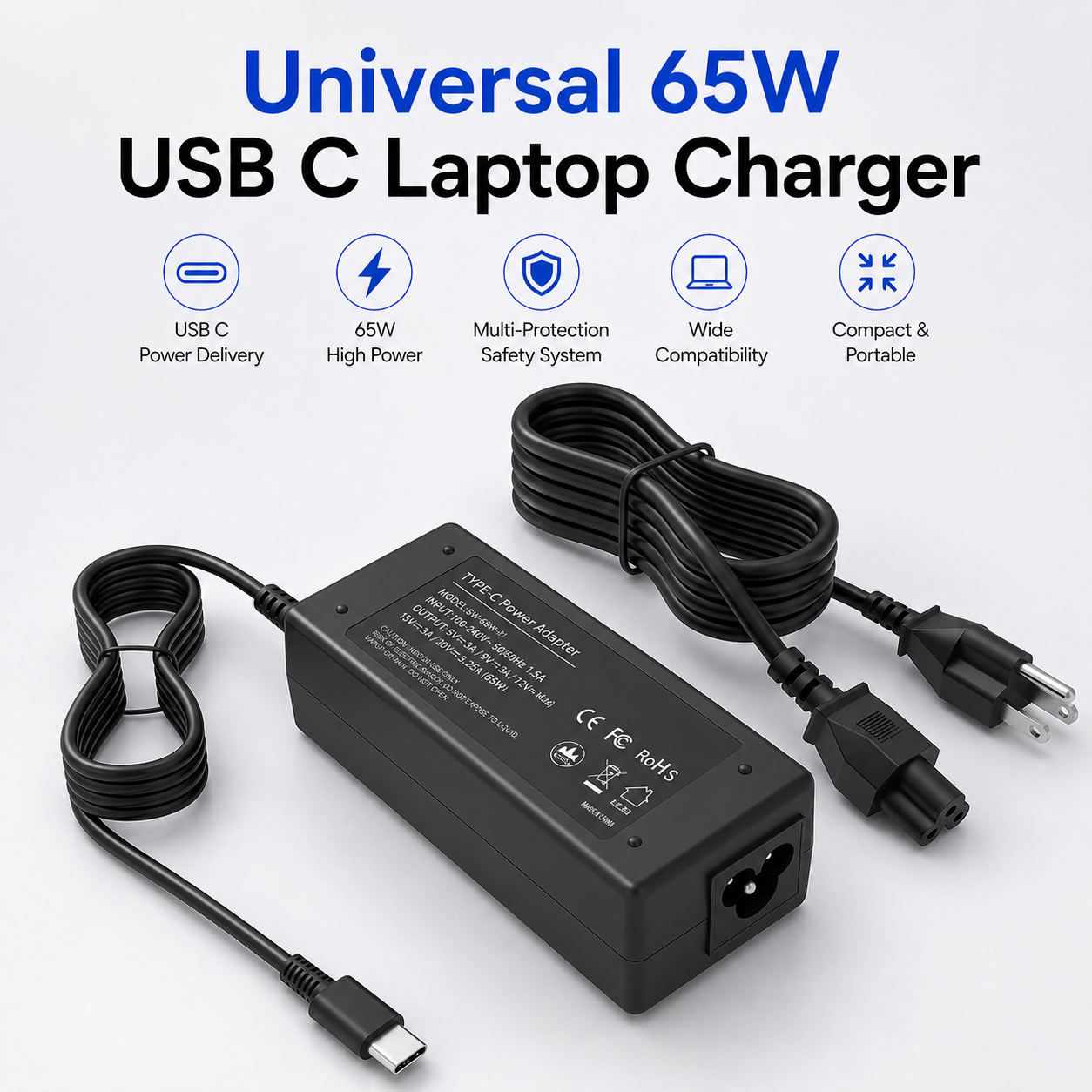
65W Universal USB C Laptop Charger, Type C Power Adapter Compatible with HP Chromebook, Lenovo, Dell, Acer, Asus, Samsung, Google & USB C Laptops, AC Charging Power Supply
65W Universal USB C Laptop Charger – Type C Power Adapter
Keep compatible USB-C laptops and devices powered with this practical 65W Universal USB C Laptop Charger. Designed as a convenient AC charging power supply, the Type-C adapter is suitable for selected compatible HP Chromebook, Lenovo, Dell, Acer, Asus, Samsung, Google and other USB-C laptops that support appropriate USB-C charging.
The 65W power adapter provides a useful replacement or spare charging solution for home, office, study and travel. Because USB-C ports and charging requirements vary between devices, compatibility should always be confirmed against the laptop manufacturer's required charging specification before connection.
65W Charging Power
The charger is specified with a maximum power rating of 65W, making it suitable for compatible USB-C laptops and devices designed to accept an appropriate 65W USB-C power supply.
USB Type-C Connection
Featuring a USB-C / Type-C charging connection, the adapter is designed for compatible devices that support power input through their USB-C charging port.
Universal USB-C Laptop Charger
The universal-style design provides convenient compatibility across selected USB-C laptop ranges, helping reduce the need for different proprietary connector shapes where compatible USB-C charging is supported.
Compatible with Selected HP Chromebooks
The adapter can be used with selected HP Chromebook models that support compatible USB-C charging and match the charger's available power specification.
Compatible with Selected Lenovo Laptops
Suitable Lenovo laptops with compatible USB-C charging requirements can use the adapter as a replacement or additional power supply.
Compatible with Selected Dell Laptops
The charger is suitable for selected Dell laptops that accept compatible USB-C charging. Confirm the required wattage and charging specification before use.
Compatible with Selected Acer Laptops
Selected Acer laptops and Chromebooks may be used with the charger where USB-C power input and electrical requirements are compatible.
Compatible with Selected Asus Laptops
The Type-C adapter can provide power for compatible Asus laptops that support suitable USB-C charging within the charger's specified capability.
Samsung & Google Compatibility
The charger is also intended for selected compatible Samsung and Google devices that accept suitable USB-C charging. Individual model requirements should always be verified.
Replacement AC Charger
Use the adapter as a practical replacement for a lost, damaged or unavailable compatible USB-C laptop charger, subject to matching the device's charging requirements.
Useful Spare Power Adapter
Keep an additional charger at home, work or another regular location to reduce the need to repeatedly transport a primary laptop charger between different workspaces.
Home Working Solution
The 65W USB-C adapter is useful for compatible laptops used for remote working, browsing, communication and everyday computing from a home workstation.
Office & Study Use
Suitable for compatible work and study laptops, the charger provides a convenient power option for desks, offices, classrooms and other appropriate indoor environments.
Portable Charging Solution
The compact adapter format makes it convenient to carry in a suitable laptop bag or backpack when an additional charging solution is needed while travelling between locations.
Check Device Power Requirements
Before use, compare the laptop manufacturer's charging requirements with the adapter specification. A physical USB-C connection alone does not guarantee electrical compatibility.
USB-C Charging Compatibility
Charging behaviour and available power can vary according to the connected laptop or device. The exact supported voltage/current profiles and charging protocols have not been supplied, so no unsupported protocol compatibility is stated.
Safe Connection Guidance
Insert the USB-C connector carefully without forcing it into the device. Ensure the cable and charging port are clean, undamaged and correctly aligned before applying power.
Keep the Adapter Ventilated
Use the power adapter in a suitable open area where normal heat can dissipate. Avoid covering it with clothing, bedding, papers or other materials during operation.
Indoor Electrical Safety
Keep the charger, cable and connectors away from water and excessive moisture. Do not handle electrical connections with wet hands or use the charger in unsuitable wet environments.
Practical Universal USB-C Charging Solution
Combining 65W power, a USB Type-C connection and compatibility with selected HP Chromebook, Lenovo, Dell, Acer, Asus, Samsung, Google and other USB-C laptops, this AC power adapter provides a practical replacement or spare charging solution for compatible devices.
Package Information
Package Weight: 410 grams
Package Dimensions: 19.00 × 12.50 × 4.70 cm
Carton Information
Pieces in Carton: 10
Carton Net Weight: 20.00 kg
Carton Gross Weight: 21.00 kg
Carton Dimensions: 49.00 × 34.00 × 40.50 cm
Why Choose STEK?
STEK offers practical computer and electronic accessories designed around convenient everyday charging, flexible device compatibility and dependable replacement solutions. With an emphasis on functional power accessories, portable technology and straightforward everyday use, STEK provides useful charging solutions for compatible laptops, home offices, workplaces and study environments.
About this item
- 65W USB C Laptop Charger: Universal Type C power adapter designed for compatible USB-C laptops requiring a charging solution up to 65W.
- USB Type C Connection: Uses a USB-C charging interface for compatible laptops, Chromebooks and other supported devices with matching power requirements.
- Universal Laptop Compatibility: Suitable for a wide range of compatible USB-C laptops from multiple major manufacturers when the required charging specification is supported.
- Compatible with HP: Designed for suitable HP laptops and Chromebooks that support charging through USB-C and require compatible power delivery up to 65W.
- Lenovo Laptop Support: Suitable for compatible Lenovo laptops with USB-C charging capability and matching electrical requirements.
- Dell Laptop Compatibility: Can be used with suitable Dell USB-C laptops that support the charger's wattage and charging interface.
- Acer & Asus Support: Compatible with suitable Acer and Asus laptops that use USB-C charging and fall within the supported power requirements.
- Samsung Compatibility: Suitable for compatible Samsung laptops and other supported USB-C devices requiring an appropriate Type C power adapter.
- Google Chromebook Support: Designed for compatible Google Chromebooks and other USB-C Chromebook models with matching charging requirements.
- AC Charging Power Supply: Provides a practical mains-powered charging solution for compatible laptops at home, work, university or other indoor locations.
- Replacement Laptop Charger: Useful as a replacement when the original compatible USB-C charger is lost, damaged or no longer available.
- Convenient Spare Adapter: Practical as an additional compatible charger for keeping at the office, study area or another regular laptop-use location.
- For Work & Study: Suitable for compatible laptops used for office work, remote working, studying, browsing and general everyday computing.
- Multi-Brand Charging Solution: Broad compatibility with suitable HP, Lenovo, Dell, Acer, Asus, Samsung and Google USB-C devices reduces the need for separate brand-specific adapters.
- Chromebook Charging: Suitable for compatible Chromebook models that support USB-C power input and require a charging output within the adapter's supported range.
- Portable Power Adapter: Compact charger format is convenient for carrying between home, work, university and travel locations where a compatible power source is available.
- Everyday USB-C Power: Designed for routine charging and power supply use with compatible laptops and devices that meet the stated USB-C charging requirements.
- Check USB-C Charging Support: Not every USB-C port accepts laptop charging, so confirm that your device supports power input through USB-C before use.
- Check Device Compatibility: Verify your laptop's required wattage, voltage, current and USB-C charging specification match the adapter before connecting it.
- Complete 65W USB-C Charger Solution: Combining 65W output capability, USB Type C connection and compatibility with suitable HP Chromebook, Lenovo, Dell, Acer, Asus, Samsung, Google and other USB-C laptops , this AC adapter is ideal for home, office, university, travel and everyday compatible laptop charging .
For custom volume pricing or bulk orders, request a formal quote.
Currently Out of Stock
Direct purchasing is currently disabled for this item. Request a formal quotation below.
| Seller | eBuyerhub Store |
| How to use | 1. Unpack and Inspect the Charger Carefully unpack the 65W USB-C laptop charger and inspect the power adapter, Type-C connector, cable and mains connection for cracks, exposed wiring, bent components or other visible damage before use. 2. Check Device Compatibility Confirm that your HP Chromebook, Lenovo, Dell, Acer, Asus, Samsung, Google or other USB-C laptop supports charging through its Type-C port and is compatible with the charger's available power output. Always check the device manufacturer's charging requirements before connection. 3. Connect the USB-C Connector Insert the USB-C connector gently into the compatible charging port on your laptop or supported device. The connector should fit smoothly and securely without excessive force; do not continue if the port or connector appears damaged. 4. Connect to Mains Power Connect the charger to a suitable mains power socket according to the supplied instructions. Keep the power adapter on a dry, firm and well-ventilated surface and do not cover it with clothing, bedding, papers or other materials while operating. 5. Confirm the Laptop Is Charging Check the laptop's battery or charging indicator to confirm that external power has been recognised. Charging performance can vary depending on the connected device and its power requirements, particularly when the laptop is being used at the same time. 6. Use Safely During Charging Keep the charger and cable away from liquids, excessive heat and sharp edges while in use. Arrange the cable so that it cannot be crushed, tightly bent, pulled accidentally or create a trip hazard around the working area. 7. Disconnect the Charger Correctly When charging is complete, disconnect the charger from the mains supply and gently remove the USB-C connector by holding the connector rather than pulling the cable. Allow the adapter to cool before packing or prolonged storage. 8. Inspect and Store the Charger Periodically check the adapter, USB-C connector and cable for wear, looseness or damage and discontinue use if any electrical component becomes damaged. Coil the cable loosely and store the charger in a cool, clean and dry location. |