15.6"-17" Laptop Cooler Cooling Pad - Slim Portable USB Powered (3 Fans), Black/Blue
15.6"-17" Laptop Cooler Cooling Pad – USB Powered 3-Fan Stand
Help maintain a more comfortable laptop working environment with this practical 15.6"-17" laptop cooling pad, designed for compatible laptops, notebooks and computers. Featuring 3 built-in fans, USB-powered operation and a slim portable design, this cooling stand provides convenient airflow while also raising the laptop from the desk surface.
The black and blue finish gives the cooling pad a modern computer-accessory appearance, while its slim profile makes it suitable for home offices, workstations, study desks and gaming setups where additional airflow and a raised laptop position are preferred.
3 Fan Cooling System
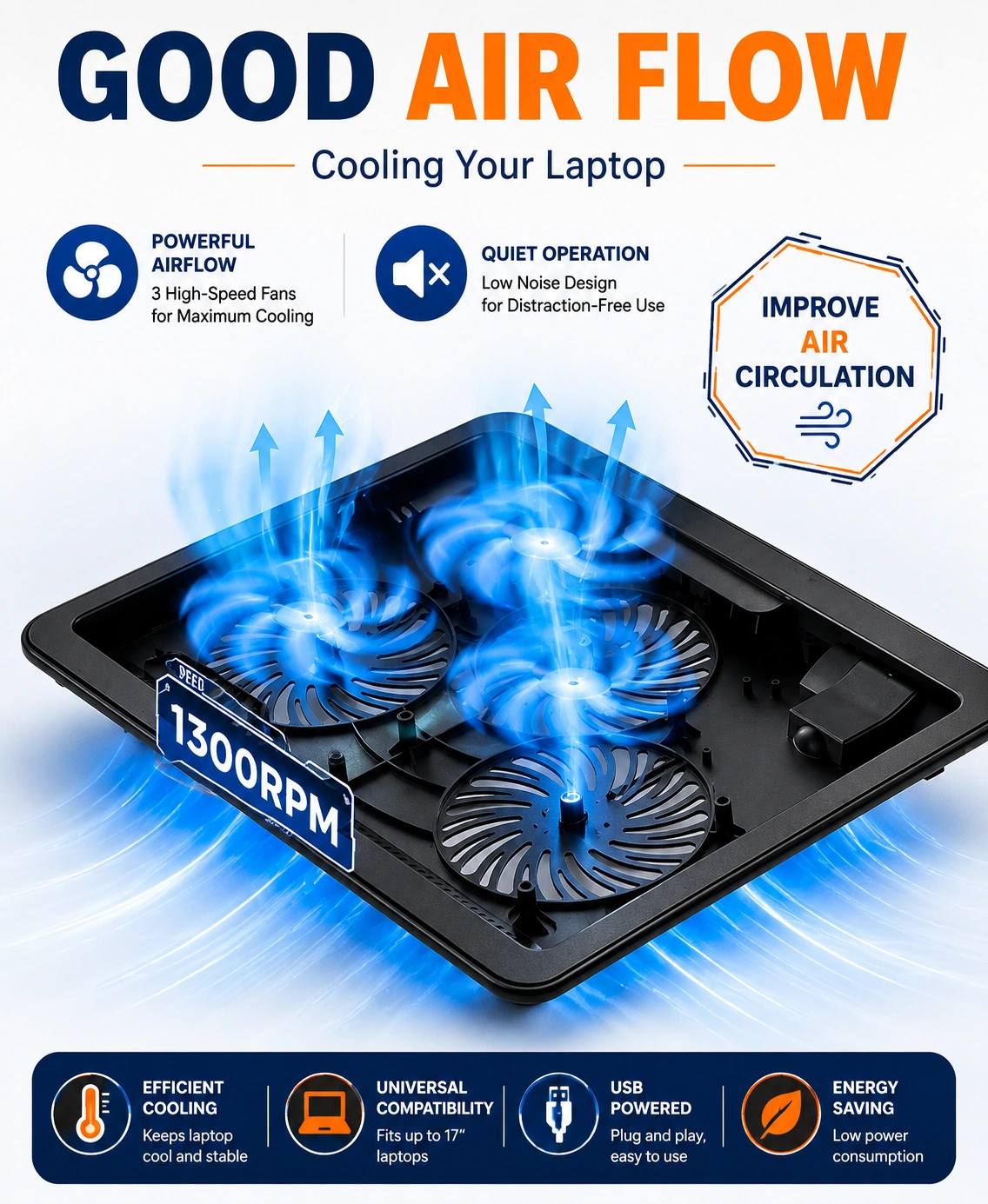
The cooling pad features three built-in fans designed to provide airflow towards the underside of a compatible laptop. The additional airflow can help improve ventilation around the laptop base during everyday work, study, entertainment and other suitable computer tasks.
15.6"-17" Laptop Compatibility
Designed for laptops measuring approximately 15.6 to 17 inches, this cooling pad provides a suitable platform for compatible notebook and laptop computers. Always check the dimensions and base design of your laptop before use to ensure a suitable fit.
USB Powered Operation
The USB-powered design allows the cooling fans to operate through a compatible USB connection. This provides convenient power from a suitable laptop or computer USB port without requiring a separate mains power connection.
Slim & Portable Design
With product dimensions of approximately 40.00 × 29.00 × 3.50 cm and a stated weight of 850 grams, the cooling pad has a slim profile that is convenient for desks, workstations and suitable travel or storage situations.
Laptop Stand Function
The cooling pad also works as a practical laptop stand, raising the computer from the desk surface and providing a more elevated working position. Place the laptop securely on the cooling pad before connecting the USB power supply.
Improved Airflow Around Laptop Base
The built-in fans direct airflow towards the underside of the laptop, helping provide additional ventilation around the base. This can be particularly useful during extended periods of computer use when additional airflow is preferred.
Suitable for Work & Study
Use the cooling pad with a compatible laptop while working, studying, browsing, streaming or completing everyday computer tasks. Its compact design fits conveniently on suitable desks and work surfaces.
Gaming & Entertainment
The cooling pad can also be used with compatible laptops for gaming, video playback and other demanding computer activities where additional airflow around the laptop base may be useful.
Black & Blue Finish
The black and blue colour combination provides a modern appearance that complements a wide range of laptops, desks and computer accessories. Its simple design makes it suitable for both home and office environments.
Space-Saving Profile
The slim 3.50 cm profile helps keep the cooling pad relatively compact on a desk while providing a stable platform for a compatible laptop. It can also be stored conveniently when not in use.
Easy Everyday Setup
Place the cooling pad on a stable, flat surface, position the compatible laptop securely on top and connect the USB cable to a suitable power source. Switch on the cooling function according to the product controls and supplied instructions.
Portable Computer Accessory
The relatively lightweight design makes the cooling pad convenient to move between home, office, study areas and other suitable workspaces. Its slim construction also makes it easier to store alongside other laptop accessories.
Suitable for Home & Office
This laptop cooling stand is suitable for home offices, workplaces, bedrooms, study rooms, gaming desks and general computer workstations. Its USB operation makes it easy to integrate with a compatible computer setup.
Stable Laptop Placement
Position the laptop centrally and securely on the cooling pad before use. Ensure that the cooling vents remain unobstructed and that the complete setup is placed on a stable, level surface during operation.
USB Connection Care
Use the cooling pad with a compatible USB port and avoid forcing the connector into an unsuitable connection. Keep the USB cable and connection away from liquids and disconnect the unit when it is not required.
Cleaning & Maintenance
Switch off and disconnect the cooling pad before cleaning. Remove accumulated dust from the exterior and fan openings using a suitable soft, dry cloth. Keep the fans and USB connection dry and free from excessive dust or debris.
Practical Laptop Cooling Solution
Combining 3 built-in fans, USB-powered operation, 15.6"-17" laptop compatibility, a slim profile and portable construction, this black and blue cooling pad provides a practical airflow and laptop stand solution for work, study, gaming and everyday computer use.
Package Information
Product Dimensions: 40.00 × 29.00 × 3.50 cm
Individual Weight: 850 grams
Carton Information
Pieces in Carton: 34
Carton Net Weight: 13.00 kg
Carton Gross Weight: 14.00 kg
Carton Dimensions: 57.00 × 41.00 × 31.00 cm
Why Choose STEK?
STEK offers practical computer, cooling and everyday technology accessories designed for convenient daily use. With an emphasis on practical functionality, compact design, easy connectivity and versatile computer use, STEK provides useful solutions for home, office, study and entertainment setups.
About this item
- 15.6-17 Inch Laptop Cooling Pad: Designed for compatible 15.6-inch to 17-inch laptops, providing a practical cooling platform for notebooks, work computers, and larger gaming laptops.
- 3 Fan Cooling System: Equipped with three integrated cooling fans to help circulate air beneath a compatible laptop and support improved heat dissipation during everyday use.
- USB Powered: Convenient USB-powered operation allows the cooling pad to connect directly to a compatible laptop or USB power source without requiring a separate mains adapter.
- Slim Portable Design: Slim construction makes the cooling pad convenient to carry with a laptop bag, backpack, or work equipment for use at home, in the office, or while travelling.
- Laptop Heat Dissipation: The integrated fan system helps increase airflow around the underside of a compatible laptop, supporting ventilation during extended computer use.
- Suitable for Large Laptops: Designed for 15.6-inch to 17-inch laptops, providing a practical cooling surface for larger notebook computers.
- Gaming Laptop Cooling: Suitable for compatible gaming laptops where additional airflow beneath the device can support cooling during gaming and other demanding computer activities.
- USB Laptop Cooler: USB connectivity provides a convenient power solution, making it easy to operate alongside a compatible laptop without occupying a separate wall socket.
- Portable Laptop Stand: Provides a dedicated platform for supporting a compatible laptop while helping promote airflow beneath the computer during work, study, entertainment, or gaming.
- Improved Air Circulation: Three fans work to move air underneath the laptop, helping reduce stagnant heat around the base and supporting consistent ventilation.
- Slim Space-Saving Profile: Low-profile construction takes up minimal desk space and can be stored conveniently when the cooling pad is not required.
- Ideal for Home & Office: Suitable for workstations, home offices, study desks, gaming setups, and other indoor environments where laptops are used for extended periods.
- Travel Friendly: Lightweight and slim design makes the cooling pad practical for carrying between home, office, study areas, and other suitable locations.
- Laptop Ventilation Support: Helps provide additional airflow underneath compatible laptops, making it a useful accessory for everyday computer ventilation and temperature management.
- Convenient Plug & Use: USB-powered functionality offers straightforward operation by connecting the cooling pad to a compatible USB port or suitable USB power source.
- Compatible Notebook Accessory: A practical addition to laptop accessories for users who want extra airflow while working, studying, streaming, gaming, browsing, or completing other computer tasks.
- Black & Blue Finish: The black and blue colour combination provides a modern appearance that suits workstations, gaming desks, home offices, and everyday laptop setups.
- Everyday Laptop Cooling: Designed to support airflow during regular computer use, helping maintain ventilation around the laptop base during work, study, entertainment, and gaming.
- Practical Cooling Accessory: Combines a slim profile, three-fan cooling system, USB power, portable construction, and broad 15.6-17 inch compatibility in one convenient laptop accessory.
- Complete Laptop Cooling Solution: Combining a 15.6-17 inch compatible design, 3 integrated cooling fans, USB-powered operation, slim portable construction, laptop ventilation support, and black-and-blue styling , this cooling pad is ideal for gaming laptops, notebooks, home offices, study desks, workstations, travel, streaming, browsing, and everyday computer use .
For custom volume pricing or bulk orders, request a formal quote.
Currently Out of Stock
Direct purchasing is currently disabled for this item. Request a formal quotation below.
| Seller | eBuyerhub Store |
| How to use | 1. Unpack and Inspect the Cooling Pad Carefully remove the black and blue laptop cooling pad from the packaging and inspect the three fans, laptop support surface, USB cable, adjustable components and housing for cracks, loose parts or visible damage before use. 2. Position the Cooling Pad Place the cooling pad on a stable, flat and dry desk or work surface. Make sure the air intake and exhaust areas are unobstructed and there is sufficient space around the unit for proper airflow. 3. Place Your Laptop Correctly Place a compatible 15.6–17-inch laptop centrally on the cooling pad. Make sure the laptop sits securely on the support surface and that its ventilation openings are positioned appropriately over the cooling area where applicable. 4. Connect the USB Power Connect the cooling pad's USB cable to a suitable USB power source, such as a compatible laptop USB port or powered USB adapter. Keep the cable positioned neatly so it does not interfere with your workspace or create a trip hazard. 5. Switch On the Cooling Fans Activate the cooling pad using its power or fan control where provided. Check that all three fans operate normally and that airflow is unobstructed before continuing to use the laptop. 6. Adjust the Laptop Position If the cooling pad has an adjustable design, select a comfortable viewing or working position while keeping the laptop stable. Avoid placing excessive weight on the adjustable sections and ensure the laptop remains securely supported. 7. Keep Airflow Areas Clear Do not cover the cooling pad's fans, vents or air channels with books, clothing or other objects. Keep dust and loose debris away from the fan openings to help maintain consistent airflow during extended laptop use. 8. Switch Off and Store Safely Switch off the cooling pad and disconnect the USB cable when it is no longer required. Remove the laptop before moving the stand, wipe the surface and fan areas with a soft, dry cloth and store the cooling pad in a clean, dry location. |