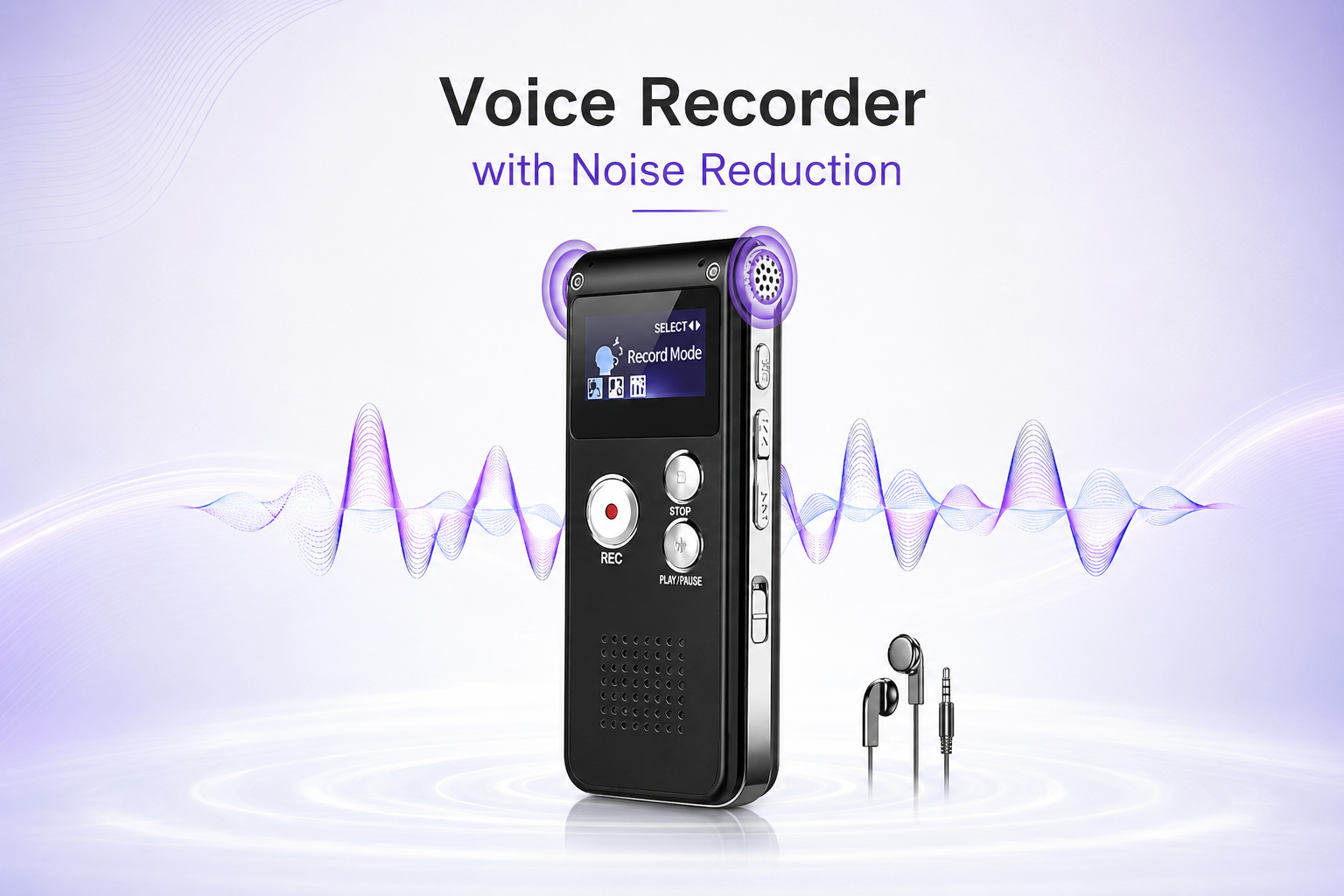
32GB Voice Recorder with Noise Reduction, Voice Activated Dictaphone with Playback, 1536Kbps Digital Audio Recorder, Password Protected Recording Device for Lectures, Meetings, Interviews & Notes, Up
32GB Voice Recorder with Noise Reduction – Voice Activated Dictaphone with Password Protection
Capture lectures, meetings, interviews and everyday spoken notes with this practical 32GB Digital Voice Recorder. Designed with noise reduction, voice activated recording, playback, password protection and up to 1536Kbps recording quality, it provides a compact solution for users who need organised and convenient audio recording.
With a stated storage capacity of up to 4800 hours, the recorder offers substantial space for compatible audio files while remaining compact enough for everyday carrying. It is suitable for students, professionals, interviewers and other users who need to record permitted conversations, lessons, presentations or personal voice notes for later review.
32GB Storage Capacity
The recorder is specified with 32GB storage, providing useful capacity for saving lectures, meetings, interviews, classroom material and spoken notes.
Up to 4800 Hours Storage
The device is described as supporting up to 4800 hours of recording storage. Actual available recording time can vary according to recording quality, file format and stored content.
1536Kbps Digital Recording
The recorder supports recording quality specified at up to 1536Kbps, providing a suitable option for spoken-word audio where clear capture is important.
Noise Reduction
The built-in noise reduction function is designed to help improve spoken audio by reducing unwanted background interference during suitable recording conditions.
Voice Activated Recording
The voice activation feature can help manage recording around detected speech, reducing unnecessary silent sections when correctly configured.
Built-In Playback
Recorded audio can be reviewed through the device's playback function, allowing users to revisit important information without immediately transferring the files.
Password Protected Recording Device
The recorder includes password protection, providing an additional layer of access control for stored recordings and helping protect personal, educational or business audio from casual unauthorised access.
Portable Dictaphone Design
Its compact design makes the recorder convenient to carry in a pocket, bag, briefcase or study case for everyday recording needs.
Professional Recording Use
Professionals can use the recorder for permitted meetings, interviews, training sessions, project discussions and spoken reminders where a portable audio record is useful.
Long-Term Audio Storage
The 32GB capacity provides room for maintaining a substantial collection of compatible recordings before files need to be transferred or deleted.
Recording Quality Selection
Where selectable quality settings are available, higher-quality recordings may use more storage space. Choose a suitable setting according to the expected recording duration and importance of the audio.
Position for Clearer Audio
Place the recorder where its microphone area is unobstructed and away from unnecessary vibration, handling noise and strong background sound where possible.
Voice Activation Guidance
Voice activation performance can vary depending on speaking volume, distance and surrounding noise. Test the function before relying on it for an important recording.
Noise Reduction Guidance
Noise reduction can help improve recording clarity, but it cannot remove every background sound. For better results, position the device close enough to the speaker and minimise avoidable environmental noise.
Test Before Important Recording
Before recording an important interview, lecture or meeting, make a short test recording and play it back to confirm the device is operating and positioned correctly.
Password Security Guidance
Choose a password that can be remembered securely and avoid sharing it unnecessarily. Follow the supplied instructions for password setup, access and recovery procedures.
Protect Confidential Recordings
Audio files may contain personal, educational or business information. Store, transfer and share recordings responsibly and avoid exposing confidential material to unauthorised users.
File Management
Regularly organise important recordings and create separate backups where appropriate before deleting files or clearing device storage.
Battery & Charging Care
Follow the supplied charging guidance and keep the recorder away from excessive heat, moisture and physical damage. The exact battery type and runtime have not been supplied, so no unsupported battery-duration claims are stated.
Practical Secure Recording Solution
Combining 32GB storage, up to 1536Kbps recording, noise reduction, voice activation, playback, password protection and up to 4800 hours of stated storage, this digital voice recorder provides a practical solution for permitted lectures, meetings, interviews and everyday notes.
Package Information
Package Weight: 90 grams
Package Dimensions: 12.00 × 10.50 × 1.80 cm
Carton Information
Pieces in Carton: 100
Carton Net Weight: 9.00 kg
Carton Gross Weight: 9.40 kg
Carton Dimensions: 39.00 × 34.00 × 24.00 cm
Why Choose STEK?
STEK offers practical electronic and recording accessories designed around portable use, straightforward operation and useful everyday functionality. With an emphasis on secure digital recording, convenient playback and versatile audio solutions, STEK provides practical products for students, professionals, meetings, interviews and personal note-taking.
About this item
- 32GB Digital Voice Recorder: Compact recording device with 32GB storage, designed for capturing lectures, meetings, interviews, spoken notes and other authorised audio.
- 1536Kbps Audio Recording: Supports recording quality up to 1536Kbps for clear digital voice capture during compatible recording modes and settings.
- Noise Reduction Function: Built-in noise reduction is designed to help minimise unwanted background sound and improve voice clarity in suitable recording environments.
- Voice Activated Recording: Voice activation can begin recording when suitable sound is detected, helping reduce unnecessary silent sections during compatible use.
- Built-In Playback: Playback function allows recorded files to be reviewed directly from the device without requiring every recording to be transferred first.
- Password Protected Recorder: Password protection helps restrict access to stored recordings, providing an additional layer of privacy for compatible saved files.
- Up to 4800 Hours Storage: Large recording capacity supports up to 4800 hours of audio depending on the selected quality, file format and recording settings.
- Ideal for Lectures: Practical for students who need to record permitted lectures, presentations and spoken study material for later review.
- Meeting Recorder: Useful for capturing authorised business meetings, discussions, briefings and spoken information that may need to be reviewed afterwards.
- Interview Recording Device: Suitable for authorised interviews, research conversations and question-and-answer sessions where digital voice recording is required.
- Voice Notes & Reminders: Convenient for recording personal ideas, task reminders, instructions and spoken notes without needing to write everything down immediately.
- 32GB Storage Capacity: Provides substantial space for maintaining a collection of compatible voice recordings before file management or transfer is required.
- Clearer Speech Capture: Noise reduction technology is designed to help emphasise spoken audio in environments where moderate background noise may be present.
- Convenient Audio Review: Integrated playback makes it easy to revisit lectures, meeting points, interview responses and personal recordings directly from the device.
- Voice Activation Convenience: Particularly useful for recording sessions with pauses, as the recorder can focus recording activity around detectable speech or sound.
- Privacy-Focused Storage: Password protection makes the recorder practical for users who want additional control over access to stored audio files.
- Portable Recording Solution: Compact digital recorder format is convenient for carrying between classrooms, offices, meetings, interviews and other suitable locations.
- Study & Professional Use: Versatile for students, researchers, interviewers, office workers and other users who need organised spoken records for later reference.
- Record Responsibly: Always obtain any consent required and follow applicable privacy, workplace, educational and recording rules before recording other people's conversations.
- Complete Voice Recorder Solution: Combining 32GB storage, up to 1536Kbps recording, noise reduction, voice activation, playback, password protection and up to 4800 hours of storage , this dictaphone is ideal for authorised lectures, meetings, interviews, personal notes and everyday digital voice recording .
For custom volume pricing or bulk orders, request a formal quote.
Currently Out of Stock
Direct purchasing is currently disabled for this item. Request a formal quotation below.
| Seller | eBuyerhub Store |
| How to use | 1. Unpack and Inspect the Voice Recorder Carefully unpack the 32GB digital voice recorder and inspect the display, buttons, microphone openings, charging connection and other components for visible damage. Read the supplied instructions before first use and charge or power the recorder as directed. 2. Prepare the Recording Settings Switch on the recorder and select the appropriate recording mode for your needs. Choose the available 1536Kbps audio quality where required and check that sufficient storage space is available before recording lectures, meetings, interviews or personal notes. 3. Position the Recorder for Clear Audio Place the recorder on a stable surface with the microphone facing the main sound source. Keep it away from unnecessary handling, vibration and strong background noise so the built-in noise reduction function can work effectively within the surrounding environment. 4. Start Recording or Use Voice Activation Begin recording using the designated control, or enable voice activated recording according to the supplied instructions when automatic sound detection is preferred. Check the display or recording indicator to confirm that audio capture has started correctly. 5. Stop, Save and Play Back Recordings Stop and save the recording when finished, then use the playback controls to review the captured audio. Organise important files and delete unwanted recordings when necessary to keep the 32GB storage easy to manage. 6. Set Up Password Protection Use the password protection function according to the operating instructions to help restrict access to stored recordings. Choose a password you can remember and keep it secure, as recovery options may depend on the manufacturer's design and instructions. 7. Back Up Important Audio Files Transfer important recordings to a compatible computer or storage location regularly where supported. The stated recording capacity of up to 4800 hours can vary with recording quality and file settings, so monitor available memory during extended use. 8. Clean, Maintain and Store Safely Switch off the recorder after use and wipe the exterior gently with a soft, dry cloth. Keep moisture and debris away from the microphone and ports, store the device in a clean, dry location, and obtain any permission or consent required before recording other people. |