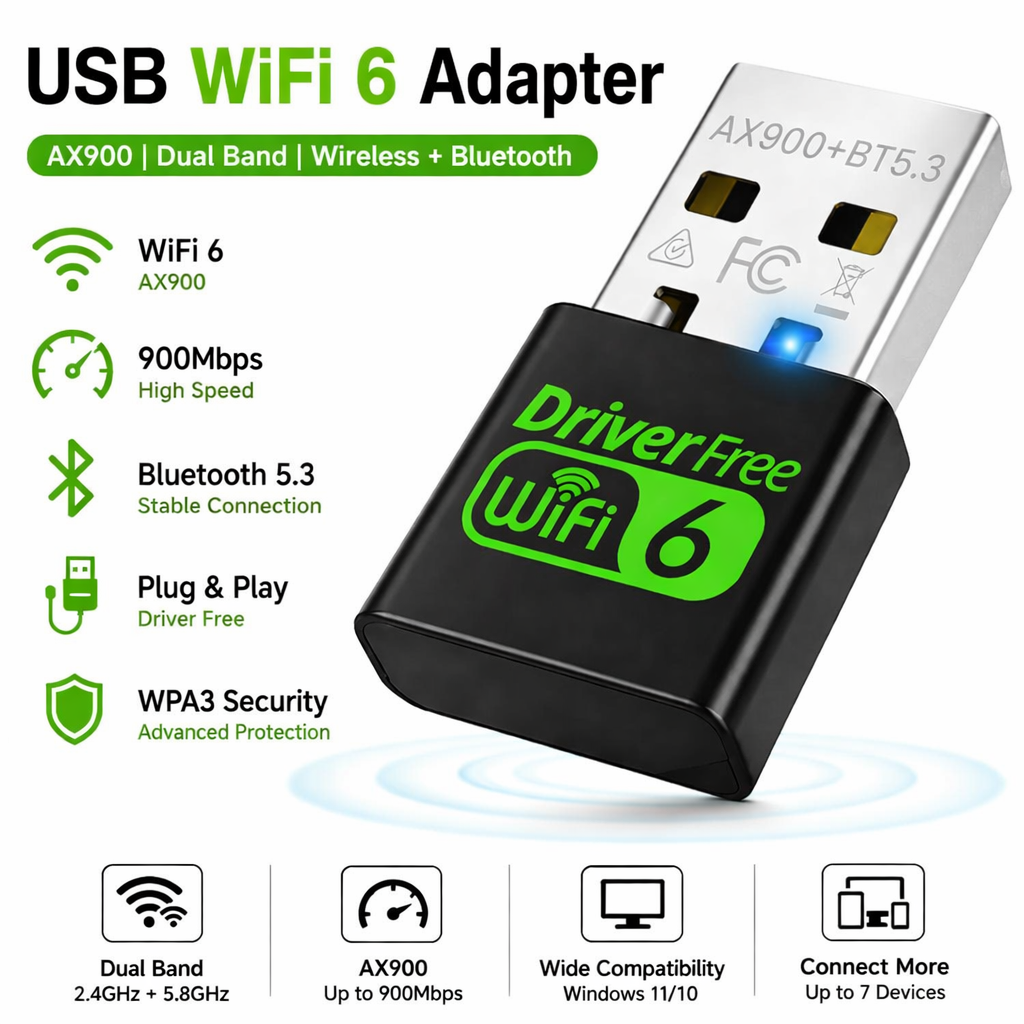
USB WiFi 6 Adapter with Bluetooth 5.3, AX900 Dual Band 900Mbps Nano WiFi Dongle for PC & Laptop, Driver-Free Plug & Play, Supports Windows 11/10, Connect up to 7 Devices Simultaneously Chipset Realtek
USB WiFi 6 Adapter with Bluetooth 5.3 – AX900 Dual Band Nano WiFi Dongle
Upgrade your desktop or laptop with this USB WiFi 6 Adapter featuring the Realtek RTL8851BU chipset. Designed to deliver high-speed wireless networking and advanced Bluetooth connectivity, this AX900 adapter combines WiFi 6 technology with Bluetooth 5.3 in one compact nano device. Supporting combined wireless speeds of up to 900Mbps, it offers fast downloads, smoother streaming, stable online gaming, and reliable video conferencing. Compatible with Windows 11 and Windows 10, the adapter features convenient driver-free Plug & Play installation, making it an excellent networking upgrade for home, office, and professional users.
Powered by Realtek RTL8851BU Chipset
Built around the advanced Realtek RTL8851BU WiFi 6 and Bluetooth 5.3 combo chipset, this adapter delivers stable wireless performance, efficient data transmission, improved connection reliability, and excellent compatibility with modern networking environments.
AX900 Dual Band WiFi 6 Performance
Enjoy combined wireless speeds of up to 900Mbps, with up to 286Mbps on the 2.4GHz band for extended wireless coverage and up to 600Mbps on the 5.8GHz band for faster downloads, HD streaming, cloud computing, online gaming, and low-latency video conferencing.
Dual Band 2.4GHz & 5.8GHz Wireless
Supports both 2.4GHz and 5.8GHz wireless frequencies, allowing users to switch between wider coverage or higher-speed performance depending on their networking requirements and router configuration.
Latest Bluetooth 5.3 Technology
Integrated Bluetooth 5.3 offers faster pairing, lower power consumption, improved signal stability, reduced latency, and enhanced wireless performance when connecting Bluetooth accessories including headphones, speakers, keyboards, mice, printers, game controllers, smartphones, tablets, and wearable devices.
Stable Connection for Up to 6 Bluetooth Devices
Using the official Realtek Bluetooth driver, the RTL8851 chipset can reliably connect up to 6 Bluetooth devices simultaneously under suitable operating conditions, including sufficient USB power and minimal wireless interference. The recommended combination includes one Bluetooth audio device, keyboard, mouse, low-power BLE devices such as fitness trackers or sensors, and a Bluetooth printer for the most stable performance.
Optimised Multi-Device Performance
For the best user experience, avoid connecting multiple Bluetooth audio devices simultaneously, as audio streaming requires significantly higher bandwidth. Using a balanced combination of HID devices, BLE accessories, and a single audio device helps maintain smooth, uninterrupted Bluetooth communication.
Advanced Wireless Security
Supports comprehensive wireless encryption standards including 64/128-bit WEP, WPA, WPA2, WPA-PSK, WPA2-PSK (TKIP/AES), and WPA3, helping protect your wireless network and personal data with modern security protocols.
Supports Infrastructure & Ad-Hoc Modes
Compatible with both Infrastructure and Ad-Hoc wireless networking modes while supporting OFDM, CCK, 16-QAM, 64-QAM, and 1024-QAM modulation technologies for reliable wireless communication across different networking environments.
USB 2.0 High-Speed Interface
Features a USB 2.0 High-Speed connector for quick installation and dependable operation. For optimal Bluetooth performance, it is recommended to connect the adapter directly to a powered USB port on your computer and install the latest official Realtek Bluetooth driver.
Compact Nano Design
The ultra-compact nano form factor fits neatly into your PC or laptop without obstructing nearby ports, making it suitable for permanent installation while remaining highly portable for travel and mobile working.
Ideal for Work, Gaming & Entertainment
Perfect for remote working, online learning, HD video streaming, cloud computing, online gaming, web browsing, video meetings, home networking, and connecting multiple Bluetooth accessories with reliable high-speed wireless performance.
Why Choose ATEK?
ATEK is dedicated to delivering premium networking solutions that combine advanced technology, reliable performance, and long-lasting durability. Every product is carefully engineered to provide stable wireless connectivity, secure networking, and dependable Bluetooth performance, making it the ideal choice for home users, professionals, gamers, and office environments.
| Click Here to see Installation Video |
About this item
- AX900 Wi-Fi 6 USB Adapter: Upgrade your PC or laptop with WiFi 6 technology , delivering dual-band wireless speeds of up to 900Mbps for faster, smoother internet connectivity.
- Dual Band High-Speed Performance: Supports 2.4GHz and 5GHz frequency bands, providing stable connections for web browsing, HD streaming, video calls, gaming, and file downloads.
- Bluetooth 5.3 Technology: Integrated Bluetooth 5.3 enables fast, stable connections with wireless headphones, speakers, keyboards, mice, printers, game controllers, and other Bluetooth devices.
- Driver-Free Plug & Play: Simply plug the adapter into a compatible USB port to get started without complicated installation, offering quick and convenient setup.
- Supports Windows 11 & 10: Fully compatible with Windows 11 and Windows 10 , making it ideal for upgrading desktop PCs and laptops with modern wireless connectivity.
- Connect Up to 7 Devices: Supports simultaneous connections for up to 7 Bluetooth devices , providing convenient wireless connectivity for multiple peripherals.
- Compact Nano Design: Ultra-small nano USB adapter sits neatly in your computer without blocking adjacent ports, making it ideal for permanent installation and travel.
- Reliable WiFi 6 Connectivity: Improved wireless performance helps reduce latency while delivering stable and efficient connections for everyday online activities.
- Fast Bluetooth Pairing: Quickly pairs with compatible Bluetooth devices, providing dependable wireless communication and efficient data transfer.
- Ideal for Home & Office: Perfect for desktop computers, laptops, workstations, home offices, classrooms, gaming setups, and business environments.
- Lightweight & Portable: Compact, lightweight design fits easily into laptop bags, backpacks, and travel cases for convenient use anywhere.
- Energy Efficient Operation: Low power consumption helps maintain efficient performance without placing excessive demand on your computer.
- Perfect for Streaming & Gaming: Suitable for HD streaming, online meetings, cloud computing, gaming, browsing, and remote working.
- Durable & Long-Lasting: Manufactured from high-quality materials to provide reliable everyday performance and extended service life.
- Complete Wireless Connectivity Solution: Combining AX900 WiFi 6 , 900Mbps dual-band speeds , Bluetooth 5.3 , driver-free plug & play installation , Windows 11/10 compatibility , the ability to connect up to 7 devices simultaneously , and a compact nano design , this USB WiFi adapter delivers fast, stable, and reliable wireless networking for PCs and laptops.
For custom volume pricing or bulk orders, request a formal quote.
Currently Out of Stock
Direct purchasing is currently disabled for this item. Request a formal quotation below.
| Seller | eBuyerhub Store |
| How to use | 1. Insert the USB Adapter Plug the USB WiFi 6 adapter into an available USB port on your Windows 11 or Windows 10 desktop PC or laptop. Ensure the adapter is fully inserted for a stable connection. 2. Install or Detect the Adapter Allow Windows to detect the adapter automatically. For supported systems, the driver-free plug-and-play feature enables quick installation. If prompted, follow the on-screen instructions to complete the setup. 3. Connect to a WiFi Network Open your computer's WiFi settings, select your preferred 2.4GHz or 5GHz wireless network, and enter the network password to establish an internet connection. 4. Pair Bluetooth Devices Enable Bluetooth on your computer and pair compatible devices such as keyboards, mice, headphones, speakers, printers, or game controllers through the Bluetooth settings menu. 5. Use the Adapter Enjoy high-speed wireless networking and Bluetooth connectivity for browsing, streaming, online gaming, video conferencing, file transfers, and connecting multiple compatible devices. 6. Remove Safely If disconnecting the adapter, close any active network or Bluetooth transfers first, then gently remove the USB adapter from the computer. 7. Inspect Regularly Periodically check the USB connector and adapter housing for dust, dirt, or physical damage. Keep the connector clean to maintain reliable performance. 8. Store Properly When not in use, store the nano USB adapter in a clean, dry place away from moisture, excessive heat, and dust. Proper storage helps protect the adapter and extend its service life. Click Here to see Installation Video |